
What your customer sees when you message them on RCS.
A good support message is clear about who sent it, easy to answer and quick to act on. RCS adds a verified name, pictures and buttons to the thread the customer already uses every day.
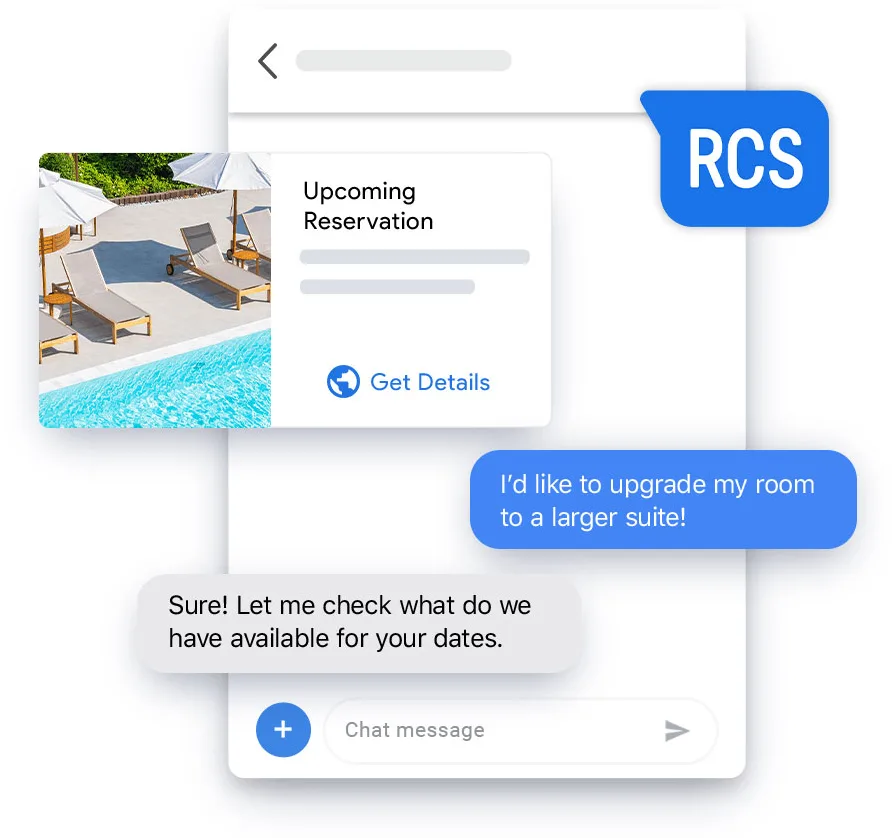
One request, start to finish.
Here is how a typical support exchange feels for the customer.
The message arrives
It shows your business name and logo, so the customer knows it is genuine.
They see the answer
A photo, a short guide or a card lays out the information instead of a long paragraph.
They tap, not type
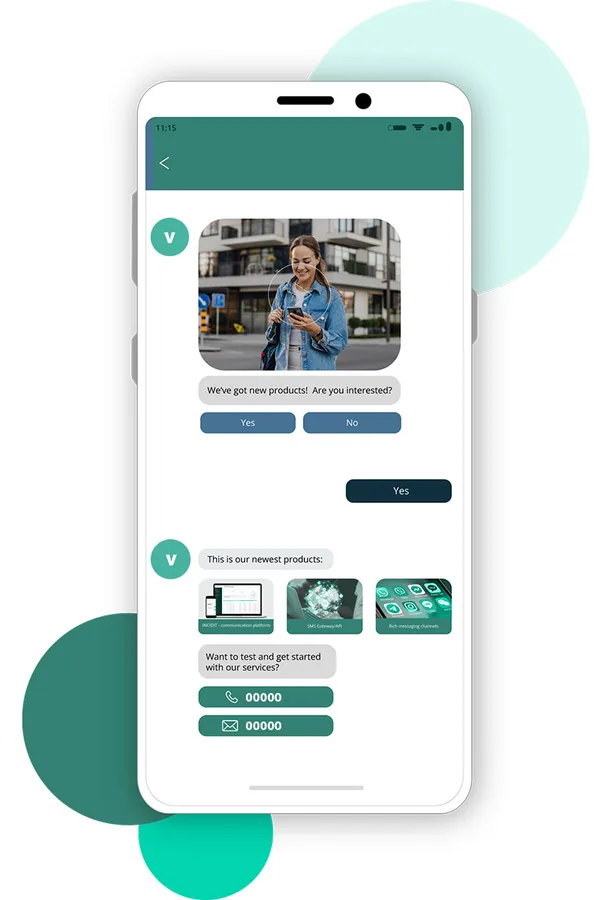
Suggested replies and buttons cover the usual answers, such as Confirm or Talk to us.
The task is done
Booking, ordering or rescheduling happens in the same thread, with no login page.
Small things that make support feel easier.
A sender they recognise
Your verified profile replaces a random number or short code.
Visual answers
Product photos and step-by-step images explain more than text can.
One-tap replies
Less typing on a small screen means more people reply.
Visible read status
Read receipts and typing indicators show the conversation is live.
How we build it on your side.
These are the building blocks we use when we set up a customer care channel on RCS.
- Visual interaction. Cards, images and short clips for product help and how-to guidance.
- Branded messages. Consistent name, logo and tone in every reply.
- Chatbots. Handle common questions, collect details and suggest next steps.
- Built-in actions. Appointments, purchases and reservations from a button.
- Proactive alerts. Updates and offers sent before the customer has to ask.
Benefits for the business behind the chat.
Better conversations
Interactive messages hold attention and make replies easier.
Stronger brand recognition
A consistent look builds trust over repeated contacts.
Shorter journeys
Fewer steps between a question and a finished task.
Data to learn from
Reports show reads, clicks and button use, so you can improve flows.
Plan for customers without RCS.
Not every customer's phone or app supports RCS, and it needs a data or Wi-Fi connection. We set up SMS fallback so those customers still get your message, and we suggest keeping the key facts in plain text. Our RCS vs SMS comparison explains the trade-offs.
Questions about RCS support.
What does the customer see when an RCS message arrives?
They see it in their normal messaging app, under your business name and logo. Depending on the message, there may be a photo, a card to swipe through and buttons to tap.
Does the customer have to download anything?
No. RCS works through the phone's default messaging app. The phone and app must support RCS, and the customer needs a data or Wi-Fi connection.
Can customers reply, or is it one-way?
They can reply by typing or by tapping a suggested reply. A chatbot can answer routine questions and hand over to your team when needed.
Can customers complete tasks inside the chat?
Yes, for tasks you set up, such as booking an appointment, choosing a product or reserving a table. Each task is a button or a short guided flow in the conversation.
What if a customer has not got RCS?
They can receive the message as an SMS instead. Rich elements will not show, so keep the key facts in the text.
Keep reading
Make support easier to answer.
Tell us what customers ask most often. We'll suggest the first flows to build.